
Leganto February 2025 Release Notes
March 2025 Sneak Preview
-
CERV 7180, part two: Choose Which Citation Tags to Copy on Rollover in Leganto
-
CERV 9049: Restore deleted citations from a recycle bin
-
Link or relink citation to library resource in Leganto UI (manual locate)
Main Features
Set Preferred Citation Link
February 2025 Leganto  CERV Enhancement (ID #9062) URM-227484
When multiple links are available for a citation, users can now set which link should be listed first using the Set first action. When the parameter set_first_link(Configuration > Leganto > Features > Leganto Features) is set to all(librarian and instructor),librarian,instructor(including course operator and collaborator), or true(all), the Set first action is displayed to the configured user type in the link action menu. When left blank or set to false(blank) the Set first action is not displayed. The default setting is all.
This action is not available in edit mode.
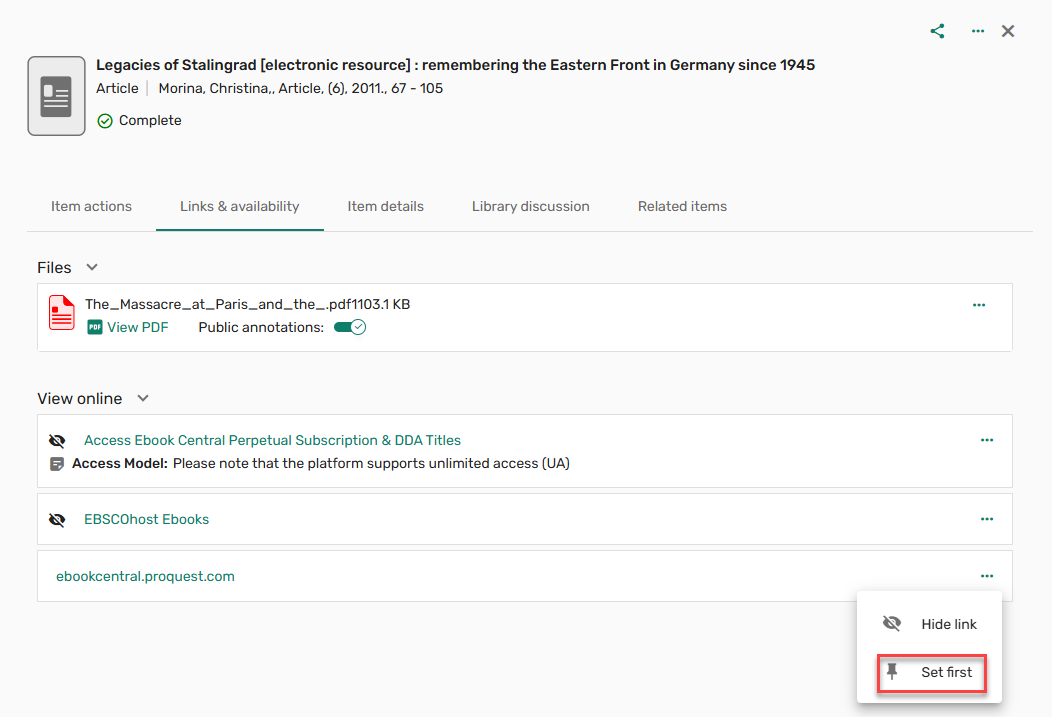
With the addition of the Set first action, the Hide link action is now accessible from the item actions menu.
When setting an item as first, the link moves to the top of a list with a pin icon indicating that the link is set as first.
Students do not see the pin indicator, but they do see the item first in the list.
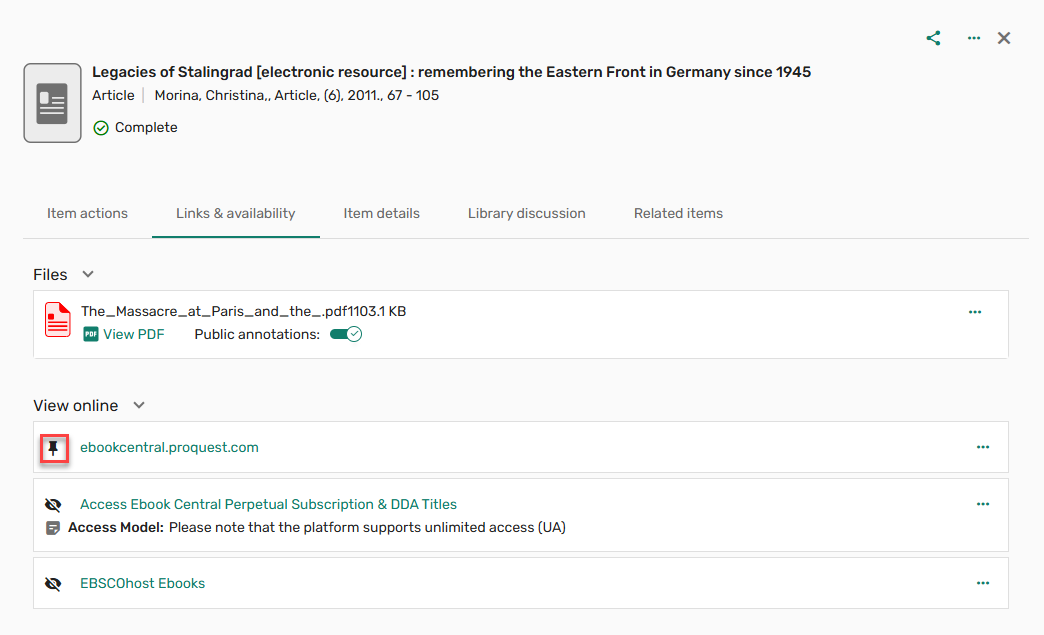
When the parameter force_direct_uresolver(Configuration > Leganto > Features > Leganto Features) is set to true, and multiple links are available, and a link is set as first, selecting View online from the brief view opens the link set as first.
If a YouTube link is set as first, the Watch link is prioritized before the View online in the brief view. If a Browzine link is set as first, the Browzine link is prioritized before the View online in the brief view.
Links cannot be both hidden and set first. When a link is set as first, if the Hide link action is applied to the link, the link is hidden and the Set first indicator is removed. A message is displayed informing the user that a hidden link cannot be set as first.

If the Set first action is applied to a hidden link, the link is no longer hidden, and the link is set as first. A message is displayed informing the user that the link is no longer hidden.

The indication for whether a citation has a link set first will be available in analytics in a future release.
Choose Which Citation Tags to Copy on Rollover (Bulk Rollover Only)
February 2025 Fulfillment and Resource Sharing CERV Enhancement (ID #7180) URM-227486
When the On rollover copy citation tags checkbox is checked, and Select tags is selected from the Course Loader Actions (Configuration > Leganto > LTI > Integration Profiles), tags to include can be selected from the dropdown list. When the job runs, only the selected tags are copied to the duplicated list.
This feature is currently only available for bulk rollover in Alma and will be available in the duplicate list flow in Leganto in a future release.

Clipboard Functionality When Copying/Moving Items
February 2025 Leganto URM-229116 SF: 07235995
Users can now copy or move items to a specific place within the list or another list using a clipboard. The clipboard option is now available on the existing copy and move workflows, both when copying and moving individual items, and when copying and moving items in bulk. The clipboard acts as a place to temporarily store the items while they are being copied and until they are moved.
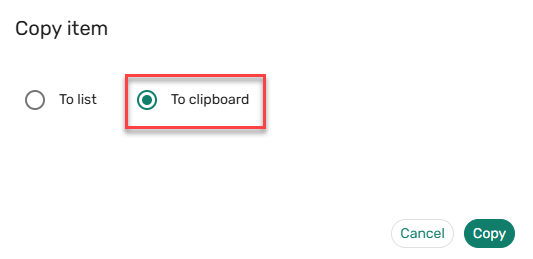
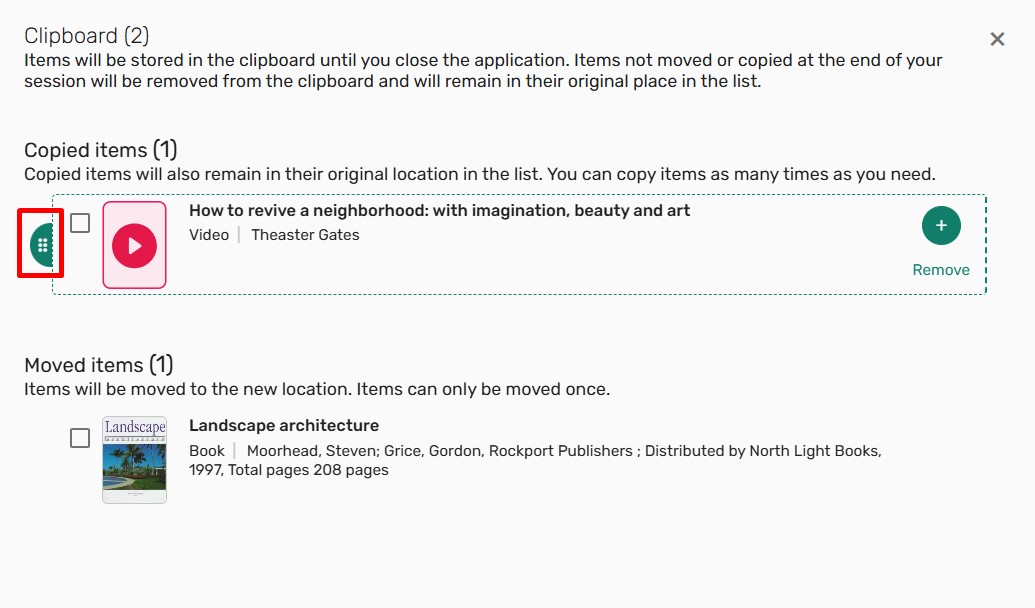
Moved items and copied items behave differently in the clipboard. As items are copied to the clipboard, the clipboard counter increases. As items are moved to the clipboard, the items change to a disabled state within the list, and the clipboard counter increases. The clipboard counter reflects the total number of items added to the clipboard during a session. Once the session ends, the clipboard clears, and the icon is no longer displayed. If the session ends before a moved item is moved to a new location, it is returned to the original position within the list when the session ends.
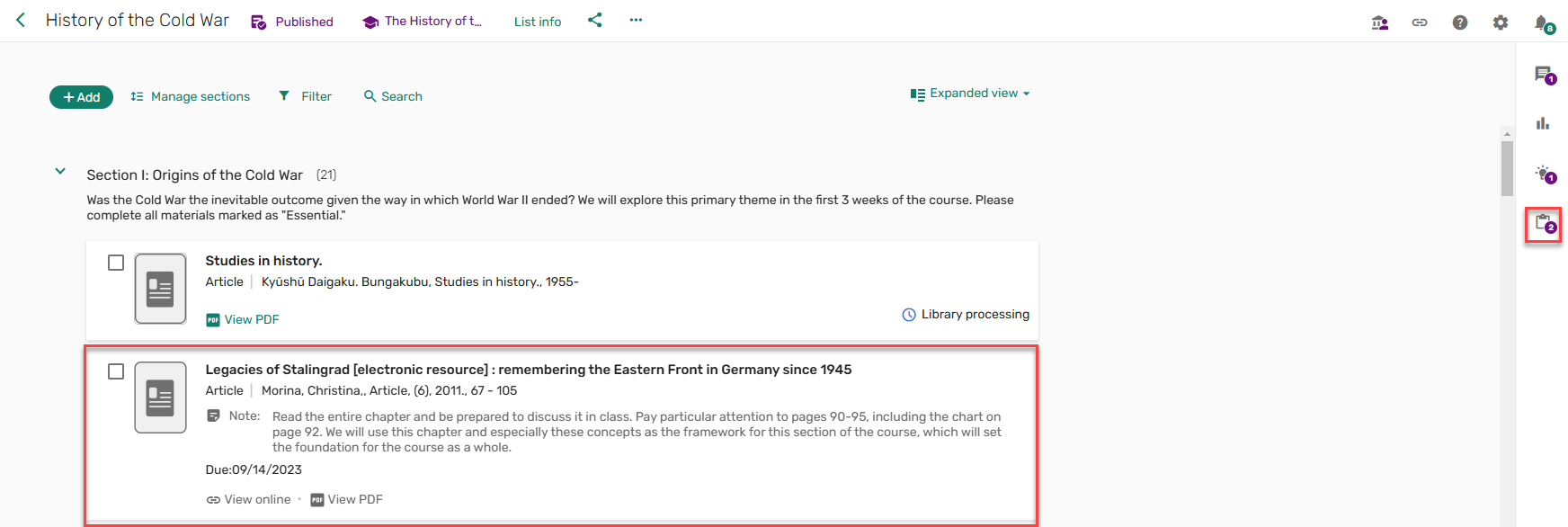
Items can be copied or moved to a list or to the favorites by expanding the item and selecting List and the list and section or selecting Favorites and Add & Edit or Add.
Items cannot be copied/moved to locked lists.
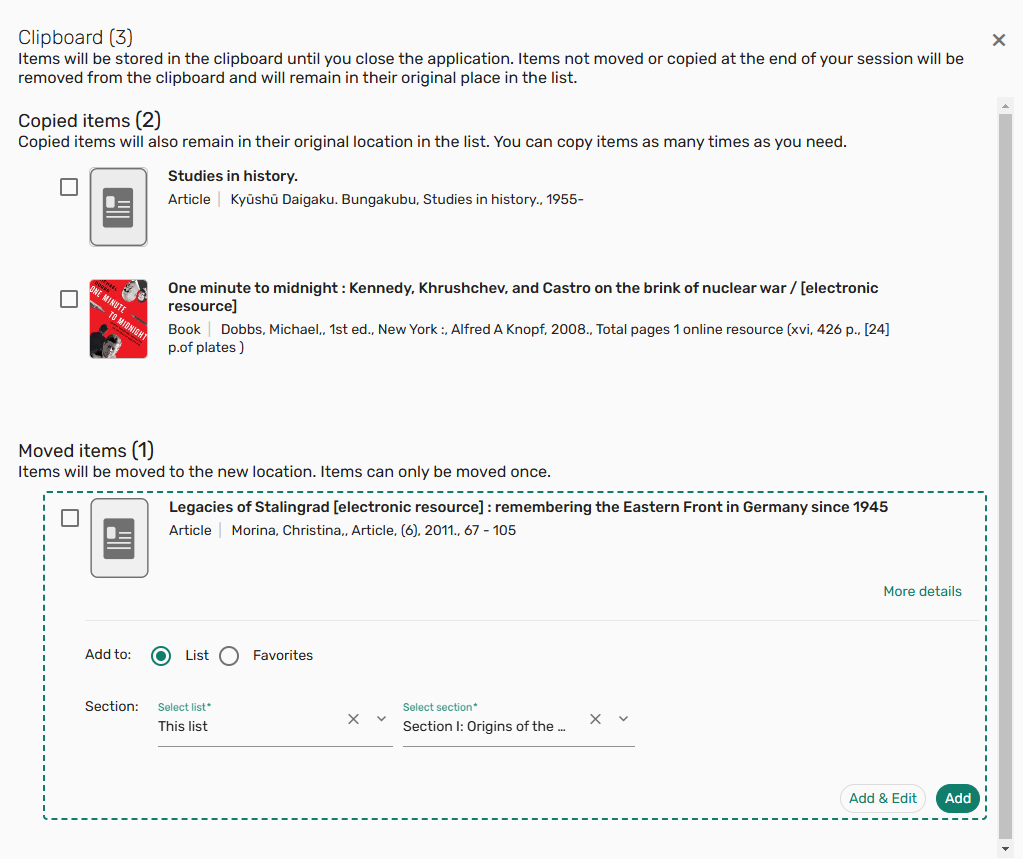
Items can be copied or moved to a specific place within the current list using the drag and drop functionality.
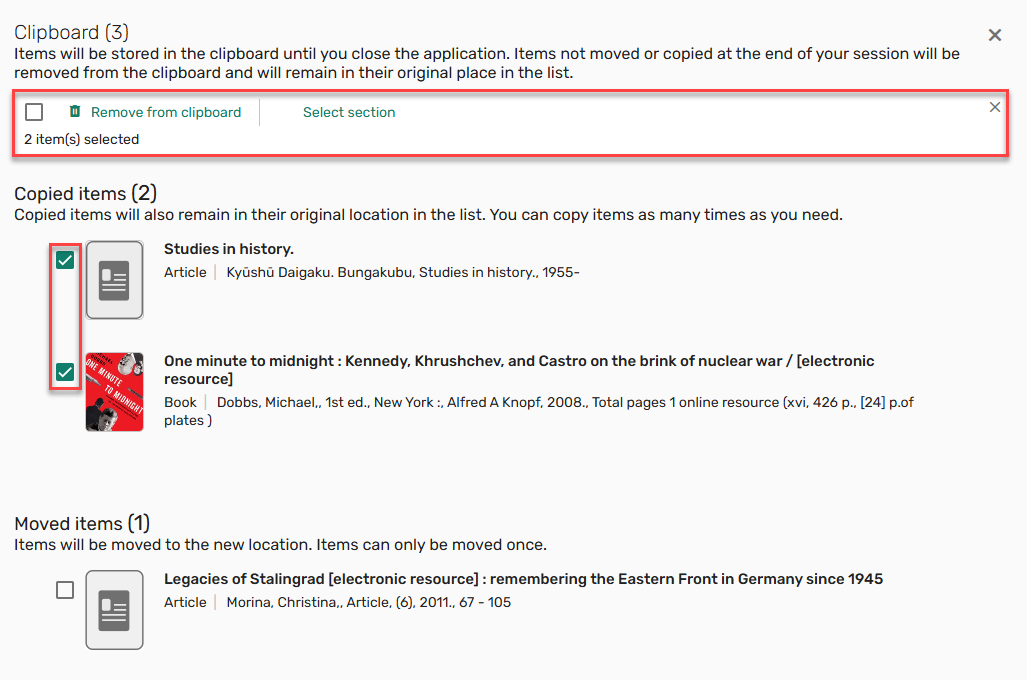
Items can be copied or moved to sections on the current list or removed from the clipboard in bulk by selecting the checkbox next to each item.
Additional Enhancements
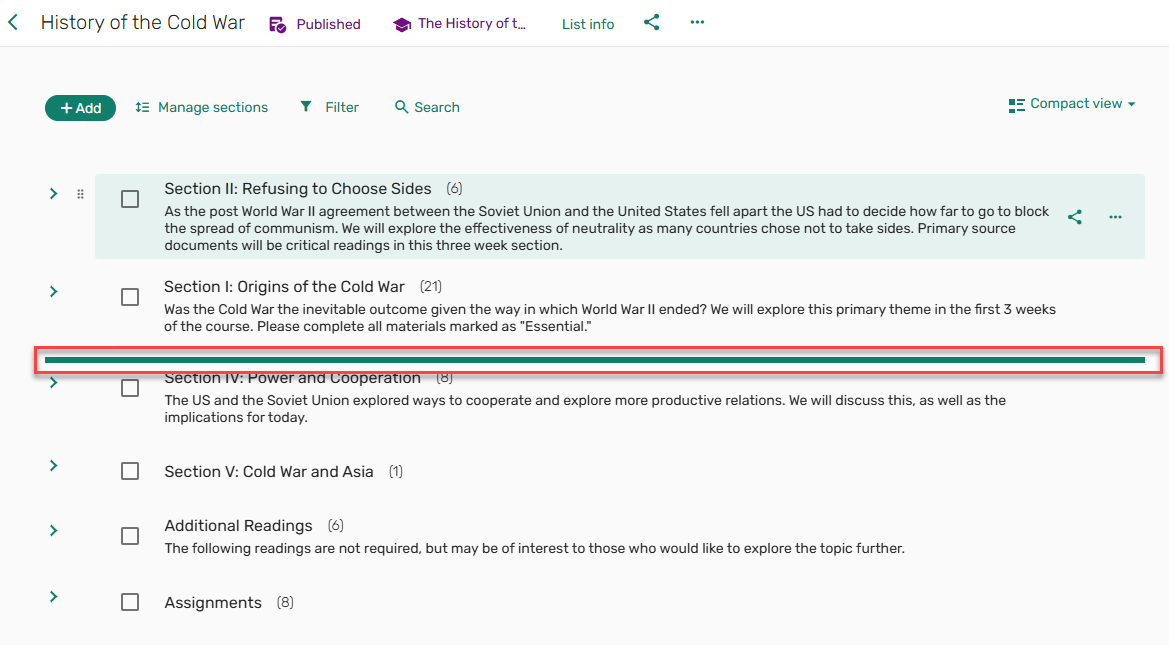
February 2025 Leganto URM-237063 SF: 07742852 To improve the drag and drop experience, when dragging an item, the drop area now only includes a horizontal rule to better indicate where the item will be dropped. The sections and items no longer shift on the page to accommodate the drop area.
February 2025 Leganto URM-233528 When the parameter display_my_list_is_ready_button(Configuration > Leganto > List Management > Settings) is set to false,My list is ready button is not displayed to instructors while the library is reviewing the list. When the button is hidden, the list cannot be published/send to library from the Leganto UI.
The banner message does not change automatically when the My list is ready button is removed. Customers who disable the My list is ready button need to edit the label for the banner message to manually remove the reference to the My list is ready button.

February 2025 Leganto URM-227023 Based on customer feedback, when adding an item to a filtered list, a message is displayed informing you that the list is filtered and not all items are visible.

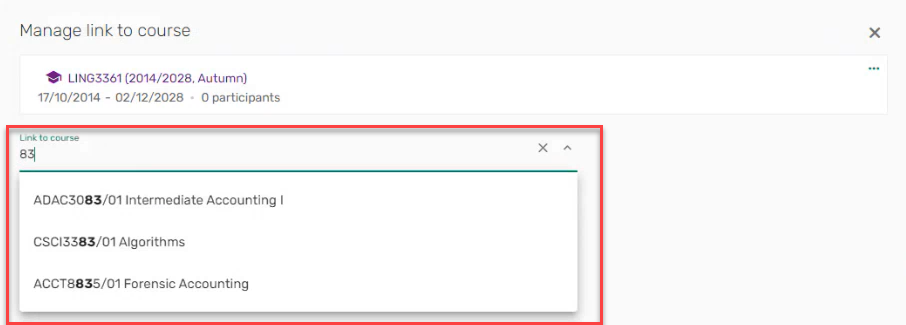
February 2025 Leganto URM-233526 Based on customer feedback, dropdown lists that contain Course codes are now displayed with a wider field.
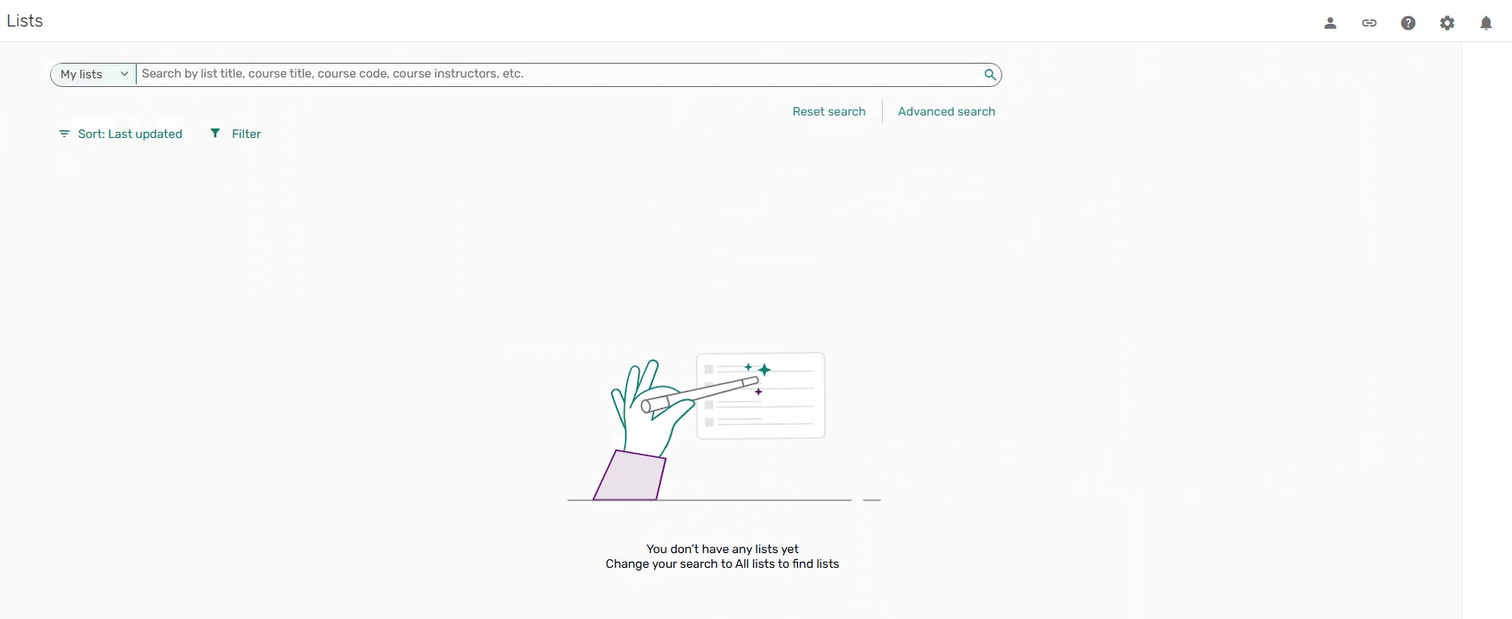
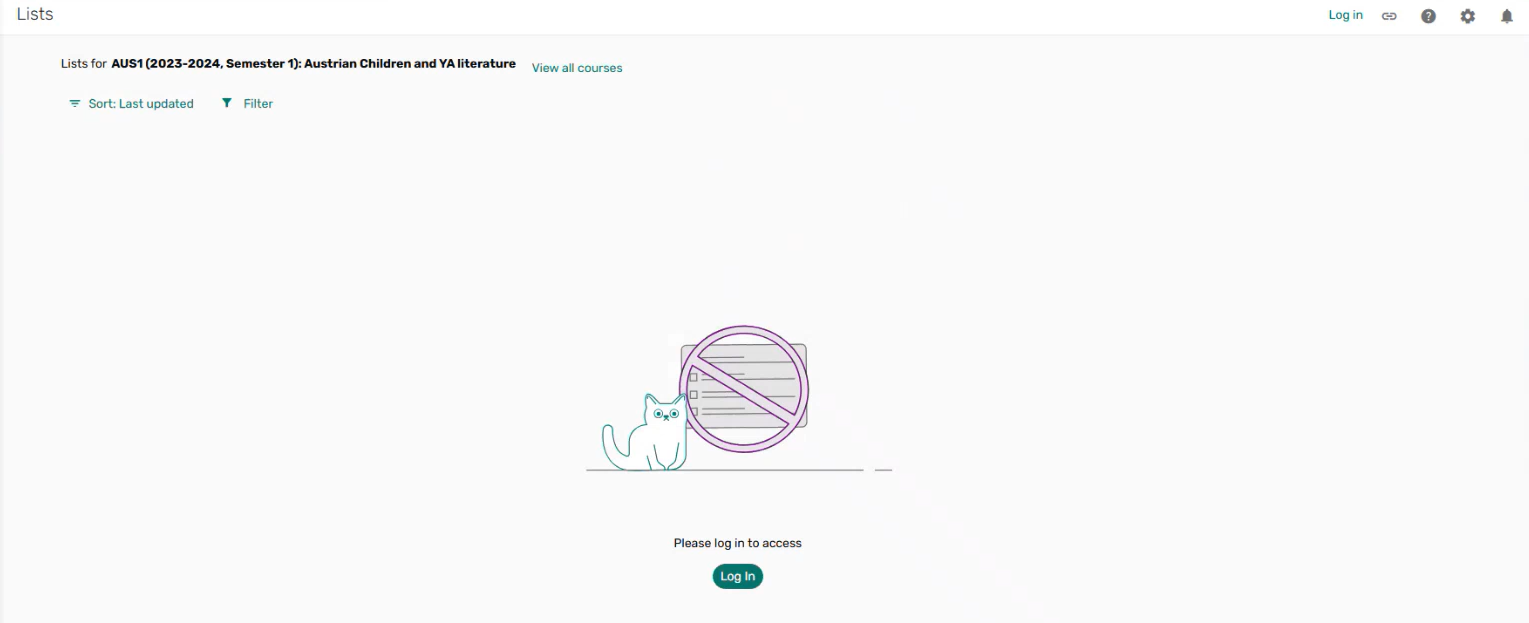
February 2025 Leganto URM-234940 When a student access Leganto and does not have any lists, or a user accesses Leganto as a guest and needs to log in, the messages that are displayed now use the look and feel of the new UI.
February 2025 Analytics URM-234611 The Link Type field was added to Leganto Student Usage > Student Usage. It displays the type of link that was selected.
Resolved Issues
| SF number | Description |
|---|---|
| 07799813 URM-237821 | Previously, no scroll bar was displayed when uploading files from a folder with more items than could be displayed on the screen. This was fixed. |
| 07805547 URM-239485 | Previously, the Mark as done option was displayed for Guest users using the mobile view. This was fixed. |
| 07735109, 07765820 URM-235622, URM-237778 | In some cases, when scrolling through citations, the screen would flicker. This was fixed. |
| 07765739 URM-236315 | Previously, when opening a section from a direct link and selecting multiple items, the bulk edit option was not displayed. This was fixed. |
| 07764848, 07775677, 07779081, 07808832, 07822802 URM-235407 | Previously, editing the thumbnail image on citations did not work. This was fixed. |
| 07785778 URM-238666 | Previously, On loan appeared in the brief view when related_records (Configuration > Leganto > Discovery > Primo Settings) was set to false. This was fixed. |
| 07803440 URM-238666 | Previously, when adding multiple citations from EndNote, the Add button did not work. This was fixed. |
| 07794712 URM-238225 | Previously, when exporting a list as a PDF, HTML tags were visible in the PDF. This was fixed. |
| 07759905, 07769829, 07786626 URM-237148 | In some cases, the citation status only updated when the list was refreshed. This was fixed. |
| 07191185, 07681109 URM-236354 | When performing a Leganto instructor rollover, part of the course name in the Course dropdown list was not visible. This was fixed. |
| 07720033 URM-236180 | Previously, when selecting an item from the mobile view, the Favorites menu disappeared. This was fixed. |
| 06966297 URM-234758 | AWS links are now IPV6 compatible. |
| 07738041 URM-234509 | Previously, CLA permissions were not fully displayed when viewing the last item in the list. This was fixed. |
| 07704405 URM-233186 | Previously, the course code was missing from the Cite It! reading list dropdown list. This was fixed. |
| 07252517 URM-231944 | Previously, when configuring the suggestion.suggested_by labels (Configuration > Leganto > General > Labels - New UI), the configured labels were not displayed in the Suggestions pane. This was fixed. |
